Internal tools fail on adoption, not engineering. The five reasons people quietly go back to the spreadsheet, and how to build something they keep using.
·5 min read
The tool works. It was tested, it was demonstrated, everyone nodded. Six weeks
later the old spreadsheet is back in circulation and two people are maintaining
both.
This happens constantly, and it is almost never because the software is broken.
It is because the tool asked for more than it gave back. Here are the five
reasons that account for most of it, in the order we see them.
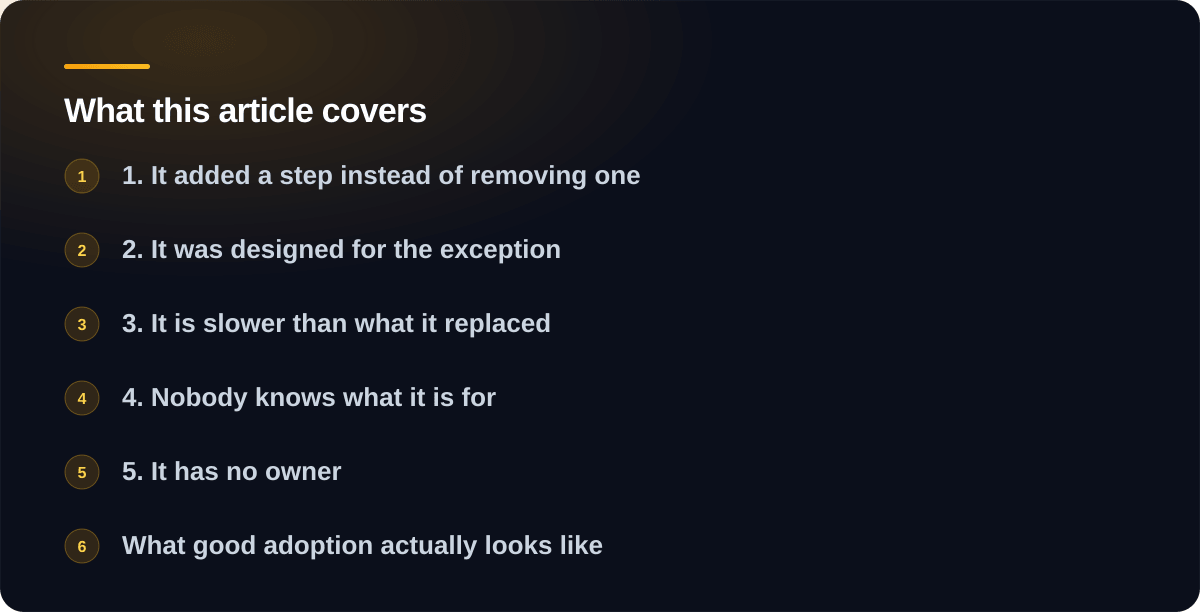
1. It added a step instead of removing one
The most common failure. The tool captures data beautifully, produces good
reports, and requires someone to enter information they were already entering
somewhere else.
From the manager’s view this is fine, because the reports are new value. From
the front desk’s view, the day now has one more form in it. The front desk wins,
because they are the ones who have to do it every day.
The fix is to make the tool the only place the work happens, not an
additional place. If the invoice is created in the tool, nobody has to copy it
into the tool. If it is created in the accounting package and then re-entered,
the tool is dead on arrival.
2. It was designed for the exception
Someone in the requirements meeting says “but sometimes a job has two site
addresses.” So the form grows a repeating address section, which every user
navigates past every single time, for a case that happens twice a year.
Repeat that ten times and you have a form that takes four minutes to fill in
when the job takes six.
Design for the ninety percent case and give the exceptions somewhere ugly to
live. A notes field and a phone call handles twice a year perfectly well. The
spreadsheet that outgrew itself
usually got that way for exactly this reason in reverse: it never made anyone
handle an exception, so it never got abandoned.
3. It is slower than what it replaced
Spreadsheets are instant. They open in a second, they never make you wait for a
page, and you can type into any cell without deciding which screen you are on.
Any tool that replaces one has to be close to that, and most are not. A page
that takes three seconds to load is fine in a demo and intolerable forty times a
day. Staff will not file a complaint about it, they will just stop using it and
tell you it is “a bit awkward.”
Speed here is a feature with a business case, not polish. Measure it on the
oldest laptop in the building, on the office wifi, not on the developer’s
machine.
4. Nobody knows what it is for
A tool introduced as “the new system” gets treated as overhead. A tool
introduced as “this is where quotes live now, and it fills the PDF in for you”
gets used, because the sentence contains a benefit.
If you cannot describe what the tool does in one sentence containing something a
user personally gets, it will not be adopted, no matter how good it is. That
sentence should exist before the first line of code, and if it is hard to write,
the scope is the problem.
5. It has no owner
Software that nobody owns rots quietly. A field becomes wrong, a report stops
being trusted, an edge case gets handled manually “just for now,” and within a
year the tool is a partial record of reality that nobody relies on.
Every internal tool needs one person, internally, who is allowed to say what it
should do. Not a committee and not the developer. Someone who uses it and can
approve a change on a Tuesday afternoon without a meeting.
What good adoption actually looks like
The tools that stick share a pattern:
They replace something entirely. The old thing is switched off, on a date,
with everyone told. Running both is how you end up with neither.
They were used by two or three people before everyone. Real usage finds the
friction that no meeting ever surfaces.
They got changed in the first month. Every single one. If the tool ships
and nothing changes, either nobody is using it or nobody is listening.
They do less than originally planned. The version that ships small and
grows outlives the version that tries to be complete on day one.
How to check before you build
Sit next to the person who will use the tool most and watch them do the work for
an hour. Not a conversation about the work, the actual work. You will learn more
in that hour than in three requirements meetings, and you will usually discover
that the process everyone described is not the process anyone follows.
That hour is also where you find out whether the real problem is software at
all. Quite often it is a form nobody needed, or an approval step that exists
because someone left in 2019.
The uncomfortable version
If a tool is not being used, adding features will not fix it. Features are what
you add when people use something and want more of it. When people are avoiding
something, more of it is not the answer.
Go back and find which of the five reasons applies. It is usually the first one.
If you are considering an internal tool and want it to survive contact with the
people who have to use it, tell us what the work looks like
today. Watching the current process is where we start anyway.
One email when something new goes up, roughly twice a month. Plain
writing on what software costs and what is worth building. No sequences,
no sales calls, and one click to leave.
Tell us what the problem is. You will get an honest read on whether it is worth building, what it would take, and roughly what it would cost. No pitch deck, no pressure.
Six things: marketing websites, web applications, internal tools, AI systems, AI agents and MCP servers, and database work. Most projects touch two or three of them rather than sitting neatly in one.
Yes. Marketing sites, landing pages and content platforms, built on modern static tooling rather than page builders. They load in under a second and have the technical SEO groundwork done properly.
Yes. Customer portals, dashboards, booking systems and SaaS products. The kind where users log in, data persists and money changes hands, so it has to be right.
Software your staff use rather than your customers. A dashboard pulling numbers from systems that do not talk to each other, a job tracker matching how you actually work, or a scheduled job replacing a report someone assembles by hand every Monday.
Yes, and we will tell you when it is the wrong tool. Retrieval over your own documents, support assistants, document extraction and classification, all built with evaluation and guardrails from the start.
MCP is the standard that lets AI assistants reach your real systems instead of guessing. We build MCP servers that expose your data and tools to Claude and other clients, and agents that carry out multi-step work with permissions and audit trails.
Yes. Schema design, query performance work, migrations between systems, ETL pipelines and reporting layers. Usually called in when the database has quietly become the bottleneck, or the risk.
Not native iOS or Android apps. We build web applications that work properly on phones, which covers most of what businesses actually need. If you need a true native app, we will say so rather than talk you into a compromise.
Related
We design and build the sites and applications we make. We do not do standalone brand identity, logo design or print work. If you already have brand guidelines we will follow them.
Related
Often, yes. The first step is a short paid audit of the existing code and infrastructure, so you get an honest assessment of what is salvageable and what it would cost either way before committing to anything.
Related
Yes, if you want it. You can also take the project and run it yourself using the documentation provided. Both are genuine options and there is no pressure toward a retainer you do not need.
Related
A marketing site typically lands between $3,000 and $12,000 depending on page count and complexity. You get a written fixed price before any work begins, so the number you approve is the number you pay.
Applications and internal tools are scoped individually and most start around $15,000. Once users log in and data persists, you are buying software rather than a website, and it is priced like software.
Related
A single automation or integration is usually $2,000 to $6,000. A proper internal application with its own database and user roles runs $6,000 to $20,000. Anything your operations depend on goes up from there.
Fixed price wherever the scope can be fixed. That means we absorb the overrun rather than you, and it is usually worth the small premium on a first project together. If something changes mid-build you hear about it before the work happens, not on the invoice.
Related
A static marketing site is commonly free to host and stays free at traffic levels most local businesses never reach. A well-built internal tool usually runs $10 to $50 a month. Budget 15 to 20 percent of the build cost annually for maintenance.
Related
Copywriting, photography, ongoing SEO work and third-party subscriptions are the four things most commonly assumed by the client and excluded by the quote. Ours states what is and is not covered explicitly.
Related
Yes, typically a portion up front with the remainder on delivery, or split across milestones for larger projects. The exact split is agreed in the written proposal before work starts.
Related
Rarely page count. Integration complexity, how much the process changes mid-build, and how clean your starting data is. Messy historical data is the single most common reason projects overrun.
Related
Usually. Tell us the number and we will tell you honestly what fits inside it and what does not. That is a more useful conversation than pretending everything fits.
Related
Yes. Scoping conversations and written proposals cost nothing and carry no obligation. We will also provide a written quote for a grant application without charging for it.
Related
Yes, and they are meaningful. Registered charities, non-profits and small local businesses get reduced rates on every service, because a tight budget should not be the reason an organisation is stuck with software that does not work.
Registered charities and the volunteer-run groups that support them, non-profits and community organisations, and small owner-operated businesses including new ventures still finding their feet.
Related
There is no application and no paperwork. Mention it in your first message and the reduced rate is built into the quote you receive.
It depends on the project and the organisation, and you are told exactly what it is before committing to anything. We do not publish a single percentage because it would be either misleading or useless.
Related
Often, yes, and they are widely underused. Google for Nonprofits, TechSoup Canada, community foundations and your existing funders are all worth approaching. We wrote a guide to what is actually available.
If you are small and owner-operated, yes. Ask when you get in touch and we will tell you straight rather than making you guess.
Related
In four steps. First a conversation about the problem, not the technology. Then a written proposal with a price and a date. Then the building, in short stretches, with something you can click and try at the end of each one. Then we put it live and hand you everything: files, accounts and passwords, written down.
Related
A straightforward website takes two to four weeks from the go-ahead. Anything people log into usually runs six to twelve weeks, and you see something working every week rather than waiting until the end.
Related
Completely. Code lives in your repositories, hosting and domains are registered in your name, and everything is documented at handover. There is no licence to keep paying and no lock-in forcing you to stay.
Related
You keep everything, because it was always in your accounts. Documentation and a clean handover are part of the work rather than an extra, precisely so that another developer can pick it up.
Related
Most of it is at the start, agreeing what gets built. After that, expect a short check-in each cycle to look at progress. The most common cause of delay is waiting on content from the client side, so having copy and images ready helps more than anything else.
Related
Yes, and it is normal. You hear the cost and timeline effect before the work happens, so a change is a decision you make rather than a surprise on the invoice.
Related
Yes. Content is set up so you can change text and images without a developer in the loop, using either a CMS or markdown depending on what suits your team.
Related
Yes, routinely. Send yours over or ask and we will provide one.
Related
Often. Being brought in for a specific piece, or to work alongside an in-house team, is common and works fine as long as the boundaries are clear up front.
Related
A description of the problem. Not a specification, not a wireframe, just what is going wrong or what you are trying to do. Everything else comes out of the scoping conversation.
Astro and Next.js for sites and applications, React and TypeScript on the front end, Node.js and Python on the back, PostgreSQL and MongoDB for data, and Netlify or Vercel for hosting. Chosen per project rather than by habit.
Related
Only when it is genuinely the right answer, which is less often than it is used. For most marketing sites a static build is faster, safer and cheaper to run. For a large store or complex memberships, WordPress earns its place.
Wherever you need it. AWS and Google Cloud both have Canadian regions in Montreal and Toronto, and hosting in Canada is straightforward and usually costs nothing extra. If your customers ask where their data lives, that is worth having a clear answer to.
Related
Usually not. PIPEDA does not require personal data to be stored in Canada, provided you are transparent and the data receives comparable protection. Rules that do mandate it are mostly provincial public-sector rules. Health data and government contracts are stricter, so check those specifically.
Yes. Sites are built to WCAG 2.1 AA, which covers keyboard navigation, screen readers, colour contrast and focus states. It is part of the build rather than a paid extra.
Related
Sub-second loads and 95 or better on Lighthouse are the target, and normally the result. Static output with no render-blocking JavaScript is most of how that is achieved.
Related
The technical groundwork, yes: structured data, sitemaps, clean semantics, fast pages and unique metadata per page. Ongoing content and link building is a different discipline and we will say so rather than sell it.
Related
A static site has no database to breach, no admin login to brute force and no plugins running server-side code, which removes most of the attack surface. Where an application does need those, authentication and permissions are built to hold up.
Related
Usually. If your CRM, accounting package or booking system has an API or webhooks, it can be connected. Integration between systems you already pay for is one of the highest-value things to automate.
Related
Backups you have actually tested, not just configured. Restoring from a backup nobody has ever tried is a plan with an unknown failure rate.
Related
Often not, and we will say so. It is worth it when the task involves unstructured language, the rules are fuzzy, you can tell right from wrong, and a wrong answer is survivable. Fail any of those and something simpler is the better build.
Answering questions over your own documents, extracting structure from messy input like invoices and forms, triaging and routing incoming work, and generating first drafts a human then edits. Those four cover most of the real value.
Related
Chatbots on the front page, which almost nobody wants. Anything needing exact numbers, because models are not calculators. And automating a process nobody has written down, which just scales the confusion.
Related
Less than most people expect. A well-built retrieval system for a small business commonly runs in the tens of dollars a month. Costs balloon from stuffing whole documents into every request and using the largest model for tasks a smaller one handles.
Related
It can, which is why systems are built to answer from your data with sources attached rather than from memory. Anything that matters gets a human in the loop, and evaluation is built in from the start so you know when it works.
Related
A system that takes multiple steps toward a goal without being prompted at each one. Impressive in demos, frequently disappointing in production, and the gap is engineering rather than model quality.
Worth it when your team already uses an AI assistant daily, the information lives in a system with an API, and people ask the same questions repeatedly. Start with one read-only server answering a single question, which takes days and cannot break anything.
Related
It is, when scoped properly. Expose the narrowest set of capabilities that answers the real questions, separate read from write, put approval gates on anything destructive, log every call, and give it its own credentials rather than a shared admin account.
Related
Call, email, or use the contact form. The form asks a few questions up front so the first reply can be useful rather than a request for more information.
Within one business day, usually sooner. If it is urgent, calling is faster than the form.
Related
Alberta, Canada. Work happens remotely with clients across Canada and the United States, over email, video calls and shared preview links.
Related
Regularly. Location has never been a constraint on this kind of work. Being Canadian helps with timezone overlap, invoicing in Canadian dollars and familiarity with the privacy rules, but it is not the deciding factor.
Related
That is the preferred starting point. No pitch deck, no pressure, and no obligation. You will get an honest read on whether the thing is worth building at all.
Related
That is the normal case and completely fine. Describe what is going wrong or what takes too long, and working out the shape of the solution is part of the job.